
How to Download YouTube Videos Without Premium (2026)
There are many useful videos on YouTube, and sometimes you just want to save them for offline viewing. YouTube Premium makes offline playback simple inside the app, but not everyone wants another subscription, especially as monthly fees keep rising.
You can still save publicly available videos with browser-based tools, extensions, desktop apps, and mobile workflows. This guide explains practical ways to download YouTube videos without Premium and how to choose the method that fits your device.
Related Article: Best Online Video Downloaders in 2026
Method 1: Using VideoDownloadTool
For most users, an online video downloader is the easiest place to start. You do not need to install a desktop app, browser plugin, or account. Open the site, paste a public YouTube link, and prepare the available video or audio download in your browser.
VideoDownloadTool is built for that simple paste-and-download workflow. It works across Windows, macOS, iOS, Android, and Linux, and it is useful when you want a quick result without changing your device setup.
VideoDownloadTool is useful because it:
- Supports video and audio downloads: Choose the available video or audio option based on what you need.
- Runs in the browser: Use it on desktop or mobile without installing extra software.
- Keeps the workflow simple: No registration, no extension setup, and fewer distractions than many download sites.
Steps to download YouTube videos without Premium
- Access the tool: Open videodownloadtool.io.
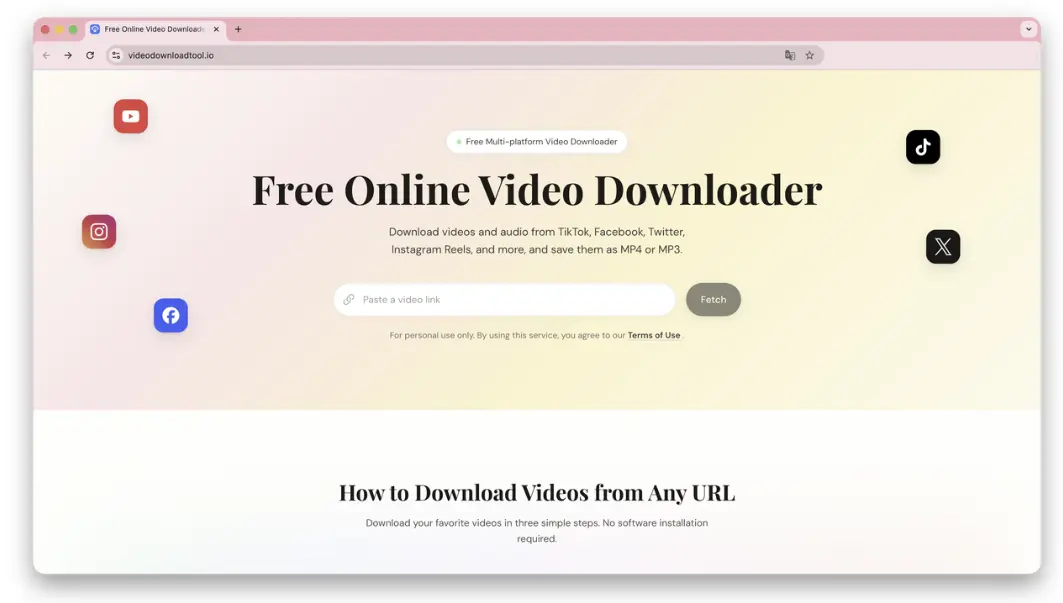
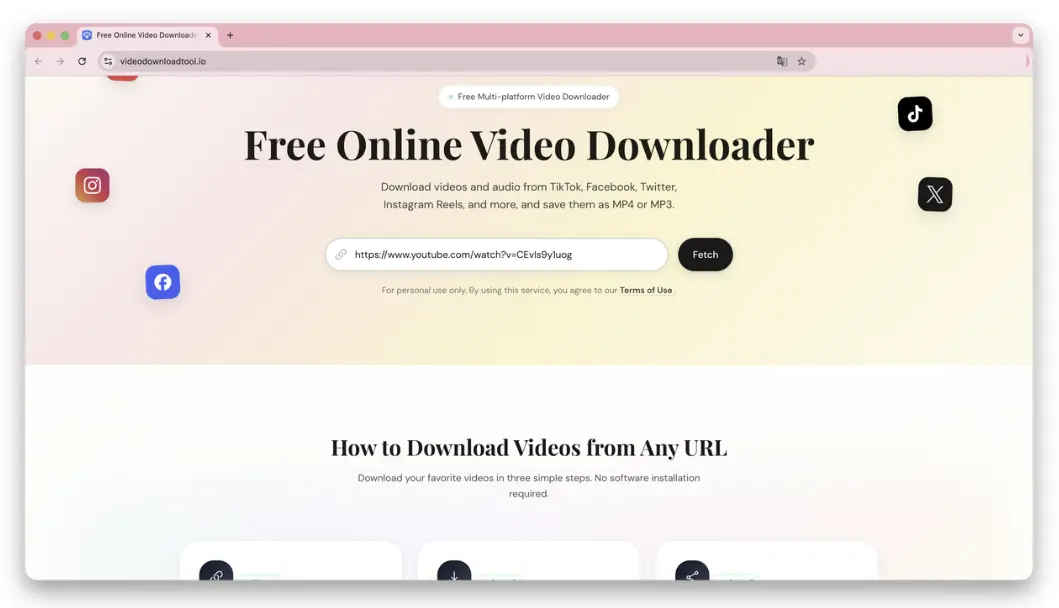
- Paste and parse: Paste the YouTube video link into the input box and click Fetch. The tool will read the available media options.
- Start downloading: Select the desired video or audio format, click the download button, and wait for the file to save to your device.
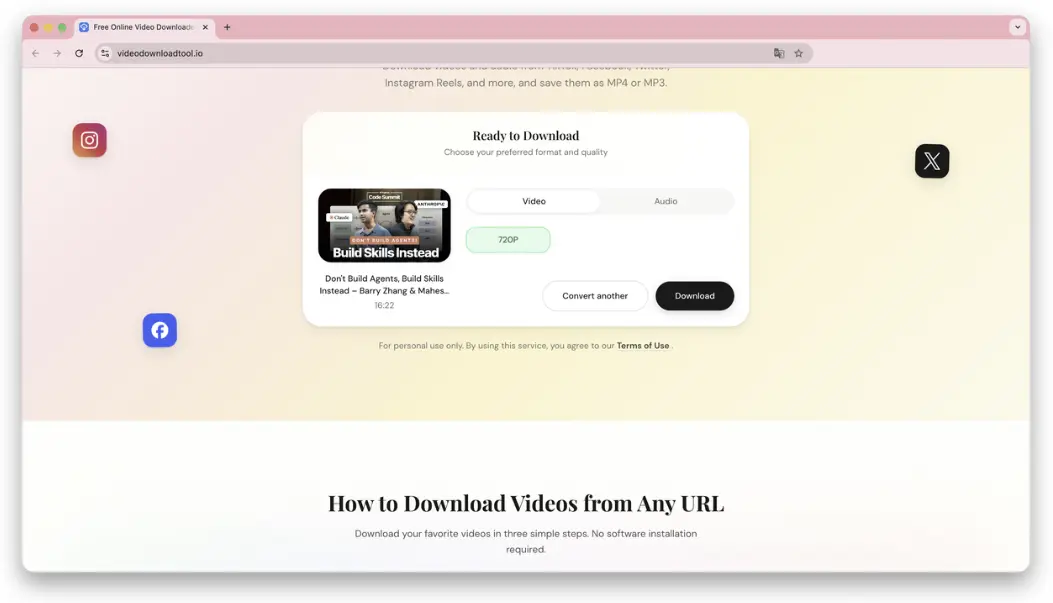
If you want to save YouTube videos to a computer without Premium for free, this is usually the fastest option. If you need batch downloads, 8K files, or advanced archive controls, the other methods below may fit better.
Method 2: Using Browser Extensions
Browser extensions can add a download button directly near the YouTube player, which feels convenient when it works. The catch is that Chrome Web Store policies usually block extensions that download YouTube videos, so users often turn to Firefox or script managers instead.
Core Skill: Tampermonkey + Scripts
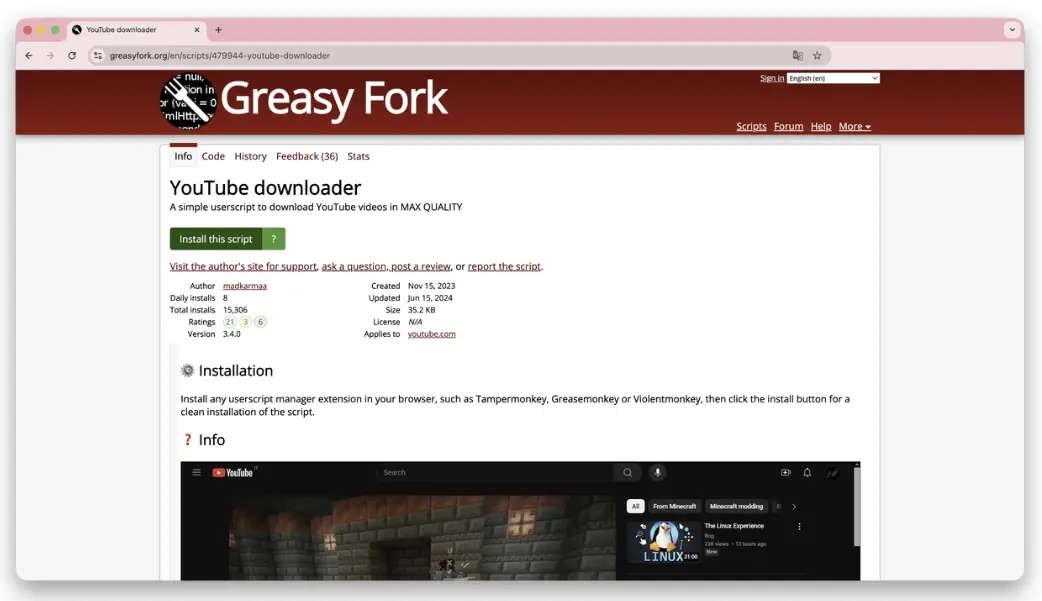
A common workaround is to install Tampermonkey and then add a downloader userscript from a third-party script library such as GreasyFork. The script injects download controls into the YouTube page.
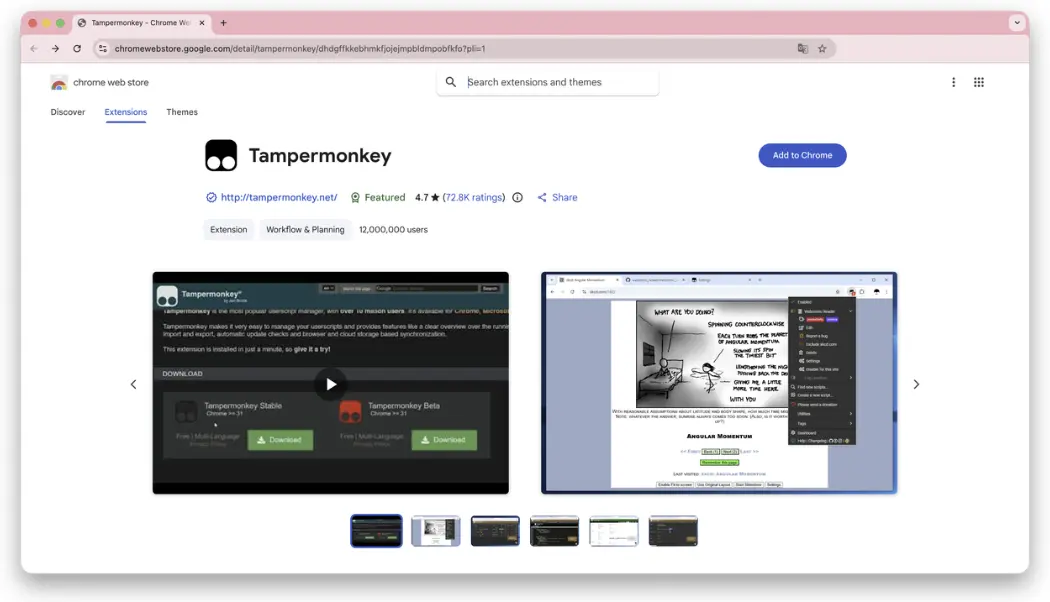
After Tampermonkey is installed, search for a YouTube downloader script, review its update history and permissions, and install only scripts from maintainers you trust.
Pros:
- Seamless integration: You can often download without leaving the YouTube page.
- Advanced options: Community scripts may expose multiple resolutions or formats.
Cons:
- Setup takes effort: Beginners need to install both a script manager and a script.
- Stability can change: YouTube front-end updates can break scripts until maintainers update them.
- Trust matters: Only install scripts after checking permissions and source reputation.
Method 3: Desktop Software
Online tools are convenient, but desktop software can be more stable for very long videos, playlists, subtitles, and large archives. If you download frequently, a native app may save time.
4K Video Downloader
4K Video Downloader is one of the best-known desktop downloaders for high-resolution YouTube content. It is useful for playlists, channels, subtitles, and formats that browser tools may not expose cleanly.
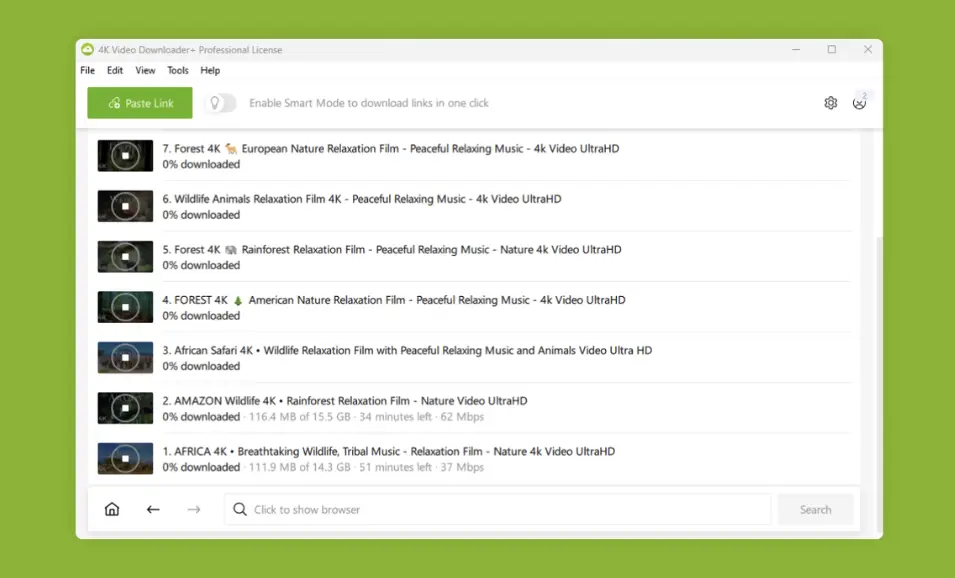
- Features: Supports playlists, channels, queued downloads, and high-resolution options where available.
- Limitations: The free version has usage limits, and some advanced features require a paid plan.
Downie
Downie is a polished macOS downloader focused on a native Mac experience. It supports drag-and-drop workflows and can work well for users who regularly save online videos on macOS.
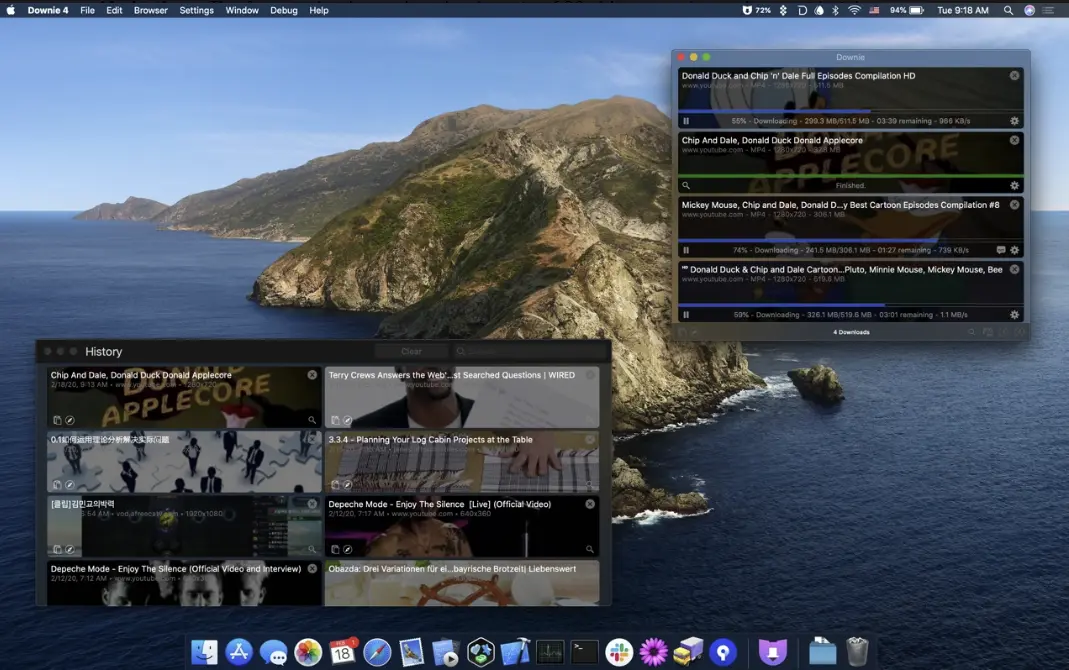
- Drag-and-drop download: Drop a video link onto Downie to start processing.
- High-resolution support: Handles many high-bitrate streams that simpler web tools may miss.
- Permute integration: Can send downloaded files to Permute for conversion.
- Limitations: It is macOS-only and paid, so it is not ideal if you need a free option.
Method 4: Mobile (Android & iOS) Download Solutions
Downloading YouTube videos on mobile depends heavily on the operating system. Android allows more third-party options, while iOS relies more on Shortcuts and browser-based tools.
Android Platform: Seal
Seal is an open-source Android app based on Material Design and powered by yt-dlp. It is popular with users who want a free native downloader without ads.
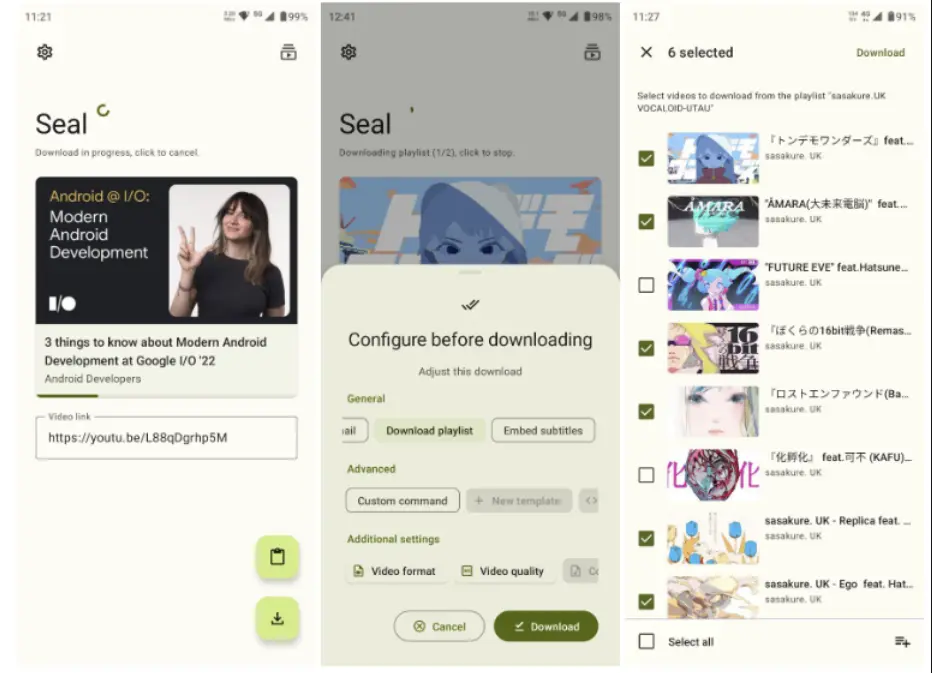
- Clean experience: Open source and free from typical ad-heavy downloader behavior.
- Flexible options: Supports quality choices, custom file names, subtitles, and audio extraction where available.
- Limitations: You usually need to install the APK from GitHub or F-Droid and keep it updated manually.
iOS Platform: Shortcuts
Because Apple restricts downloader apps in the App Store, iPhone users often rely on Shortcuts. A YouTube downloader shortcut can run from the iOS share sheet and send the result to Files or Photos.
- Native workflow: Runs through the iOS Shortcuts app without a separate downloader app.
- Convenient sharing: Works from the Share menu when the shortcut is maintained.
- Limitations: Shortcuts often break when YouTube changes its page structure, and large HD files can be slow or unstable.
More Tips: Why Do Some Tools Download 4K Videos without Sound?
YouTube often uses DASH streaming for high-resolution video. With DASH, video and audio tracks can be stored separately. If a downloader captures only the video stream and does not merge it with audio, the final file may be silent.
That is why advanced tools need a muxing step to combine audio and video. If sound matters, choose a downloader that clearly provides complete video files or a separate audio option.
Frequently Asked Questions
Is downloading YouTube videos illegal?
It depends on the content, your location, and how you use the downloaded file. To stay safe, download only videos you own, videos in the public domain, or content you have permission to use. Always respect copyright law, creator rights, and YouTube's Terms of Service.
Which method is safest for downloading YouTube videos?
For casual use, a browser-based tool that does not require installs or account access is usually safer than unknown apps or aggressive pop-up sites. Avoid pages that ask you to install Flash, unknown extensions, or unrelated software.
Why can't some videos be downloaded?
Some videos are private, deleted, age-restricted, region-restricted, DRM-protected, or otherwise unavailable. First check that the URL is complete and public, then try another browser or refresh the page.
Is there a completely free video downloader with no ads?
VideoDownloadTool is free to use and designed to keep the download workflow simple. Availability can vary by source video and platform restrictions, but it is a good starting point for quick browser-based downloads.
Summary
You do not always need YouTube Premium just to save a video for offline viewing. For quick one-off downloads, VideoDownloadTool is the simplest option. For heavier workflows, desktop apps like 4K Video Downloader or Downie offer more control.
Choose based on your device, how often you download, and how much setup you are willing to handle. Whatever method you use, stay within copyright rules and platform terms.