
How to Download YouTube Shorts Video for Free
YouTube Shorts has captured massive attention with its fast-paced, creative vertical videos. However, YouTube doesn't offer a native way to save them directly to your device.
If you want to watch these videos offline, this guide has the answers. We will explain exactly how to download Youtube Shorts videos and review the best, safest free tools available. Discover how to save your favorite clips effortlessly.
You Might Also Like: How to Fix YouTube Shorts Not Working [2026 Update]
Top Reasons To Download YouTube Shorts Video
Saving short videos to local devices can bring you a lot of practical convenience. This is also why thousands of users are looking for reliable download tools every day. Here are a few of the main driving factors:
1. Offline Viewing Experience Anytime, Anywhere
Internet connections are not always stable. Whether you are on a long-haul flight, taking a subway with poor signal, or going to the remote outdoors, saving your favorite videos in advance allows you to watch them anytime, anywhere. You don't need to worry about the video constantly buffering, nor do you need to feel upset about network latency.
2. Save Expensive Mobile Data Traffic
Video playback is a "heavy consumer" of mobile data. If you have the habit of repeatedly watching certain interesting short clips, every replay consumes your mobile data. By obtaining and saving these files through reliable tools, you can replay them countless times, completely bidding farewell to data anxiety. This is highly practical for users with limited data plans.
3. Get a Pure, Ad-Free Experience
Although short videos are brief in time, you will still encounter attention-interrupting advertisements during the browsing process. By downloading your favorite videos to your local gallery or folder in advance, you can get a 100% pure, uninterrupted viewing experience.
4. Break Platform Restrictions and Share Easily
Sometimes you want to share a hilarious short clip with elders who don't use YouTube, or want to send it to a WeChat group, WhatsApp Status, or Instagram Stories. At this time, just sharing a link is not enough; many people are simply too lazy to click and jump. Sending the video file directly will result in a much higher play rate.
5. Accumulate Materials for Secondary Creation
Many content creators need a large amount of video materials to make reaction videos, mashups, or commentary. At this time, what you need is a clean video source. Achieving a YouTube Shorts video download with no watermark can save you the trouble of cropping the frame later, making your edited work look more professional.
How to Download YouTube Shorts Video?
Whether you are using a computer or a smartphone, the steps to get the video are actually quite similar. The entire process is very simple and does not even require you to have any technical background. Just master the following basic steps, and you can handle any public short video.
Step 1: Find the Target Short Video and Copy the Link
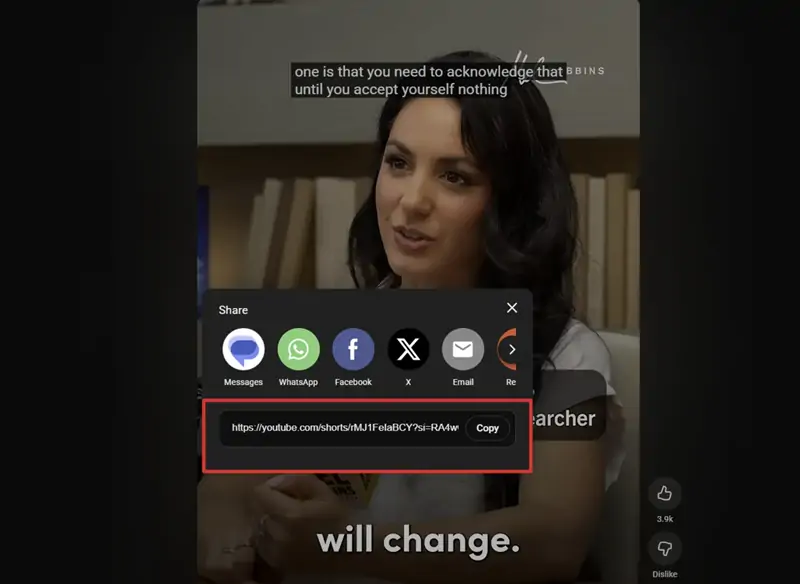
Open your YouTube App or computer browser page. Browse and find the Short video that you want to save. On the right side of the video playback interface (in the lower right corner on mobile), find the "Share" button. Click it, and then select "Copy" in the pop-up menu. This is the most fundamental part of the whole process; you must first obtain a valid shorts link.
Step 2: Choose a Reliable Download Tool
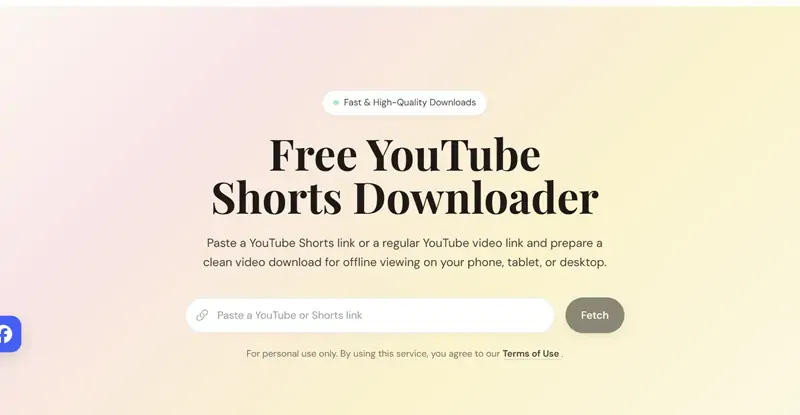
Take the copied link to a safe third-party platform. We strongly recommend using online web-based tools that do not require installing any unknown software. For example, you can directly open your browser and visit our recommended YouTube Shorts Downloader tool.
Step 3: Paste the Link and Parse the Video
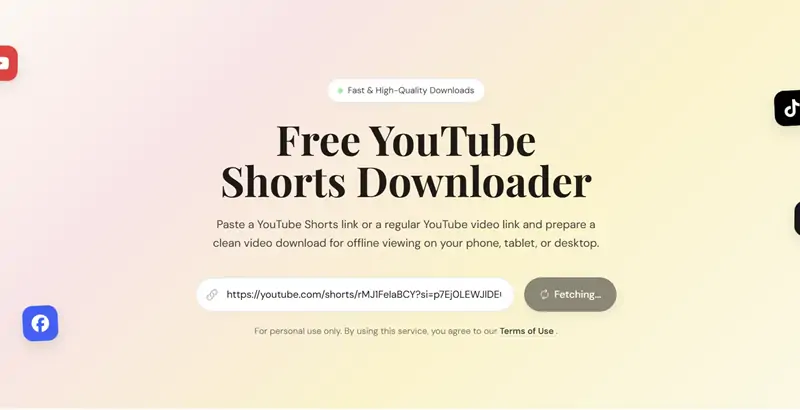
On the homepage of the download tool, there is usually an input box. You just need to perform the download video from YouTube Shorts link operation: paste the URL you just copied into this input box, and then click the "Get Video" or "Parse" button next to it. The tool's backend server will automatically start extracting the real media file behind this link.
Step 4: Choose the Format and Save Locally
After the parsing is complete, several options will appear on the screen. Usually, the system will ask what resolution and file format you need. To ensure smooth playback on various mobile phones, tablets, and computers, it is highly recommended to choose the download YouTube Shorts video mp4 format. Click the final download button. A few seconds later, this clean short clip without any watermarks will lie quietly in your device's folder.
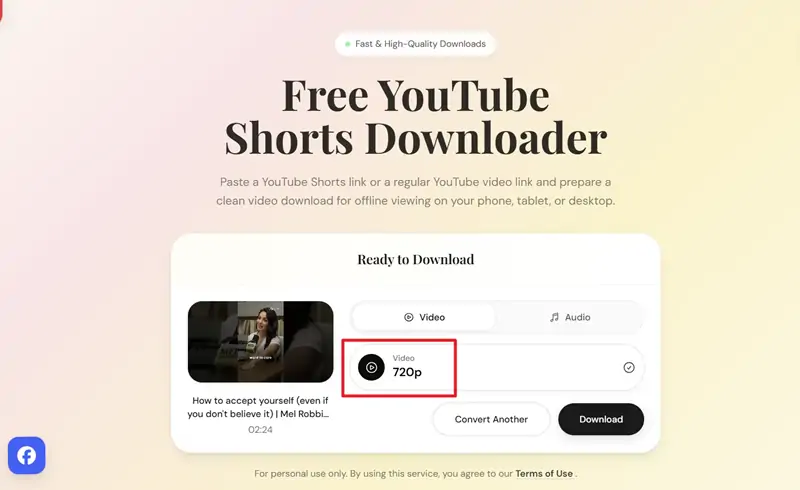
Best Free YouTube Shorts Downloaders
There are various downloaders on the market, all claiming to be able to download videos, but many of them are full of pop-up ads, hidden charges, and even security risks. To save your time, we have deeply tested multiple well-known tools and compiled this list for you based on different usage scenarios.
Universal Web-Based Tools (Installation-Free, Applicable to All Platforms)
For the vast majority of users, web-based tools are the best choice. You don't need to install additional Apps on your phone, nor do you need to register an account. Whether it's a Windows PC, a Mac, or any smartphone, you can use it just by opening the browser.
- Videodownloadtool: This is an online platform with a very clean interface and intuitive operation. Its parsing speed is very fast; you just need to paste the link of the short video to immediately get the download options. It fully supports obtaining MP4 high-definition format files, and the extracted videos do not have the like and comment icon watermarks that come with the official interface. This is currently one of the most efficient tools with the best experience for handling such needs.
- SSYouTube: This can be said to be one of the oldest video download websites on the internet (formerly SaveFrom). Its parsing ability is extremely stable. It supports not only short videos but also regular long videos. The operation logic is the same; just paste the link.
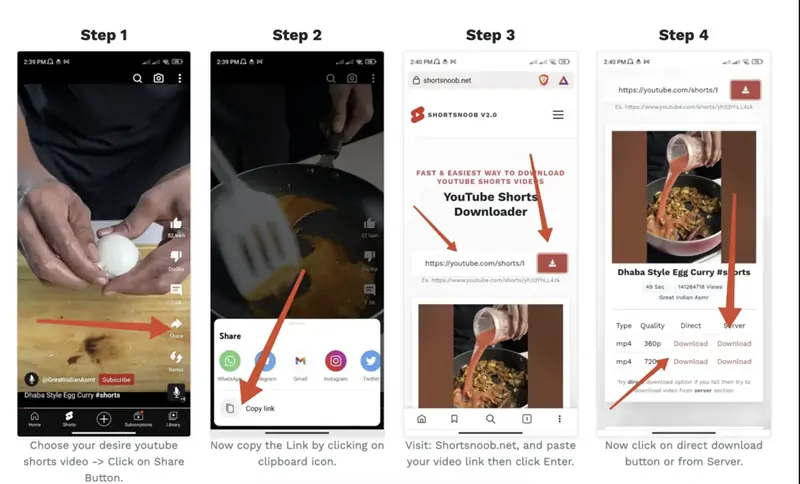
- ShortsNoob: This is a platform specially optimized for short videos. Its feature is that it provides a very rich selection of resolutions for you to choose from. If your phone memory is almost full, you can choose the 480p version with a smaller size; if you need to use it as editing material, you can choose the 720p or higher HD version.
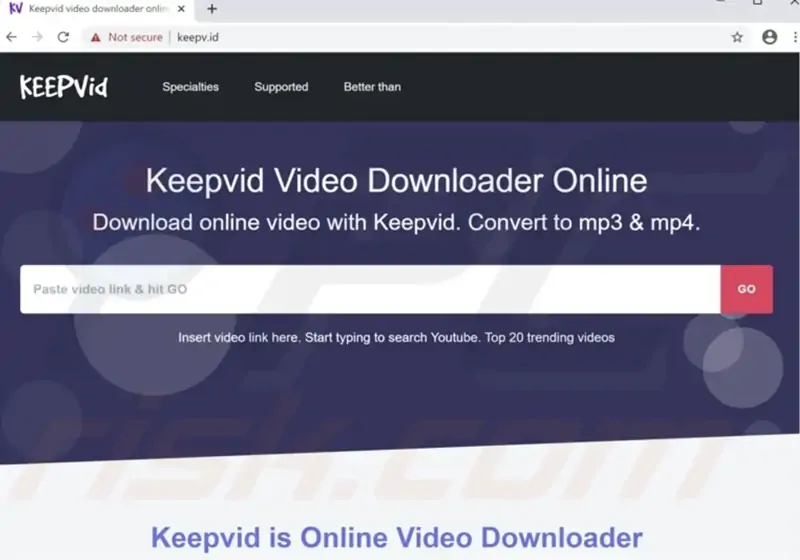
- KeepVid: This is also a multi-functional download platform with a long history. Its advantage is its strong compatibility; it not only supports YouTube but can also conveniently help you save high-quality short clips from other social media platforms. Its page design is simple and direct, and you can complete the download by following the screen prompts and clicking twice.
Exclusive Apps for Android Users
The openness of the Android system gives users more choices. If you prefer to use independent applications to centrally manage your downloaded media files, you can try the following tools:
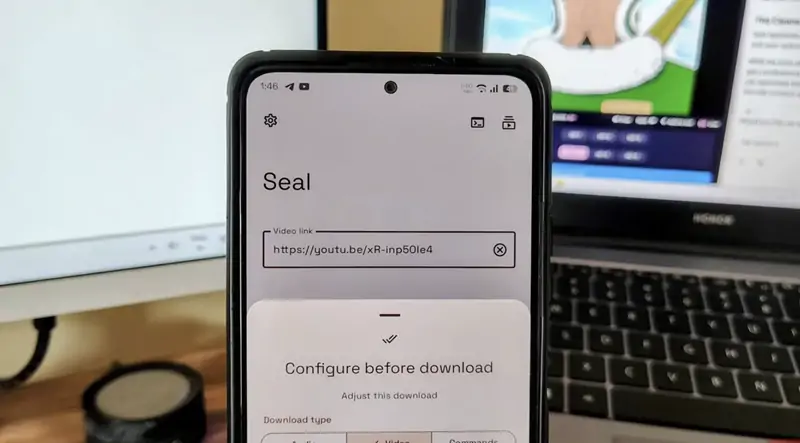
- Seal: If you pursue the ultimate pure experience, this open-source tool is highly recommended. It adopts a modern Material You interface design and has absolutely no advertisements. Its underlying technology is very powerful; not only is the parsing speed amazing, but it also allows you to directly click "Share to Seal" in the YouTube App to achieve one-click extremely fast downloading. You can get it for free on GitHub or F-Droid.
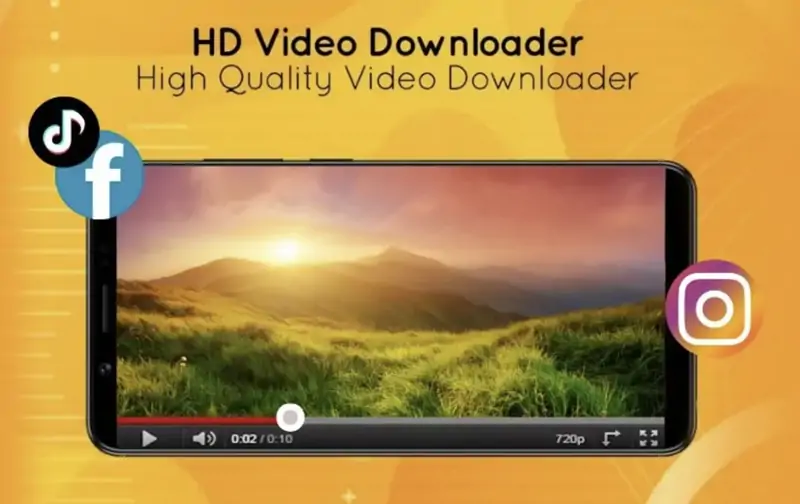
- Snaptube: This is a veteran application that is very popular among Android users. You can search and browse content directly within the App, and when you encounter a short clip you like, directly click the download arrow next to it. It can not only save high-definition videos but also convert short clips into MP3 pure audio format with one click. However, you need to go to its official website to download the APK installation package.
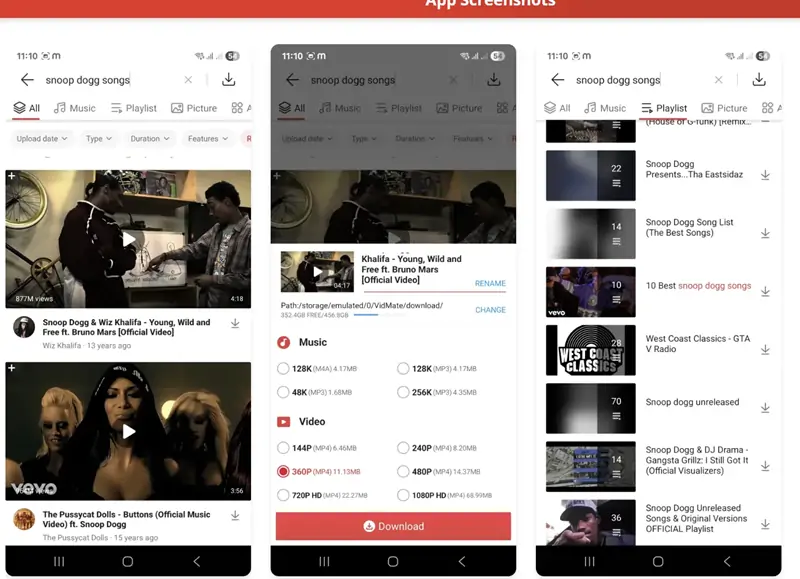
- VidMate: Similar to Snaptube, it supports batch downloading multiple videos, suitable for users who need to obtain a large amount of materials at one time. Its multi-thread download technology can significantly increase the download speed. Again, please ensure you obtain the application from a trusted official channel to protect your phone's data security.
Solutions for Apple (iOS / iPhone / iPad) Users
The ecosystem of Apple's iOS system is relatively closed, and the App Store's review of video download applications is very strict, so it is difficult for you to find directly useful download Apps in the store. But this doesn't mean Apple users have no way out.
The Most Recommended Method: Safari Browser + Web Tools
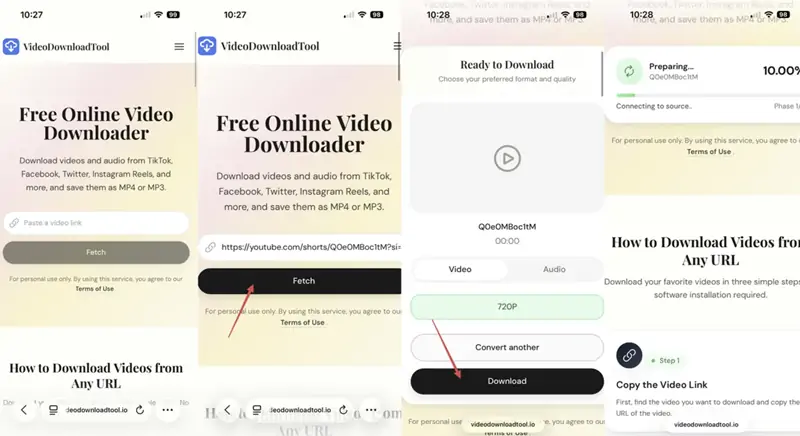
Apple users do not need to look for Apps everywhere. You just need to open the built-in Safari browser and visit the online tools we mentioned above, such as videodownloadtool.
-
After parsing and clicking download on the webpage, select the required format and then download.
-
The file will be saved by default in the "Downloads" folder of the iOS "Files" App.
-
If you want to put the video into your "Photos", just open the "Files" App, find the newly downloaded video, click the share button in the lower-left corner, and then select "Save Video". Done! The entire process is very smooth, perfectly bypassing the App Store's restrictions.
Advanced Requirements: How to Download a Short Clip from YouTube Video
Besides downloading complete short videos, we often encounter another situation: a regular-length long video (such as a ten-minute Vlog or a half-hour interview) where only a few seconds or a minute of a certain segment (short clip) particularly attracts you. You don't want to consume tens of MBs of data to capture the entire long video. What should you do at this time?
Facing the need of how to download a short clip from youtube video, there are two methods:
Method 1: Find a Third-Party Cloud Tool That Supports Timeline Cropping
Some advanced video processing websites provide this kind of service. You can paste the link of the long video, wait for the video to be parsed, and directly enter the start time (e.g., 05:12) and end time (e.g., 05:45) you want on the webpage. After confirmation, the server will help you cut this small segment in the cloud. Finally, you only need to save this generated short file as an MP4.
Method 2: Download the Full Video First, Then Use the Phone's Built-in Gallery to Crop
If you can't temporarily find a tool with a cloud cropping function, the safest and most common practice is still to use the universal web-based tools recommended earlier to save the entire video first.
Once the download is complete, if it is a computer, it is simple; just use editing software to edit it. If it is a mobile phone, open the phone's gallery, find this long video, and click "Edit". Almost all modern smartphones natively come with the function to trim the beginning and end of a video. Slide the yellow timeline at the bottom to accurately keep the short clip you need, and then select "Save as New Video". After completing this, casually delete that lengthy original file to free up your phone's storage space.
Frequently Asked Questions (FAQs)
When acquiring and saving network videos, users usually have some questions. Below are some of the most common questions we have compiled.
1. Can I Download My Own Created Shorts Directly from YouTube Studio?
The answer is yes. If you are the owner of the channel, you need to enter the backend (YouTube Studio), click "Content" in the left menu, and find the short video you want to save. Click the three-dot icon next to the video and select "Download".
But one detail must be reminded: this official method can only download the "original filter-free file" you initially uploaded. If you used the special effects, text, or popular background music provided by the platform in the App, the file downloaded through the backend will not have these post-effects. To download it completely along with the music and effects, you must rely on the third-party parsing tools we mentioned.
2. Is It Legal to Use These Third-Party Tools to Obtain Videos?
It is very normal to have this concern. If you download these short videos simply to keep them on your phone to watch when you are bored, or save them locally as a personal private collection, this belongs to the scope of personal fair use and usually poses no problem at all.
However, if you download short videos carefully shot by others without the original author's consent, or even deliberately erase the original author's signature, and then republish them on your own social media accounts to attract traffic or make a profit, this seriously violates copyright regulations and community guidelines. Please be sure to respect the labor fruits of creators.
3. Why Do Videos Downloaded by Some Tools Have No Sound?
This is usually due to technical updates at the bottom layer of the platform. To save bandwidth, platforms often store high-definition video tracks and audio tracks separately. Some scraping websites with weaker technical strength can only grab the silent video track, causing the final generated mp4 file to be muted. When encountering this situation, please decisively switch to the high-quality tools we recommended in the list; they can perfectly merge the video and audio in the cloud before providing them to you.
Final Words
Saving engaging content is a common digital habit today. Now, you know exactly how to handle these video links safely.
Always prioritize your device's security and avoid unknown software. Whether on Apple or Android, using the recommended web platforms allows you to achieve high-definition, watermark-free MP4 file saving just by pasting a link. Mastering this skill makes offline viewing and collecting editing materials effortless.