
6 Best YouTube to MP3 Converters 2026
I believe many people often come across great soundtracks or voice clips while watching YouTube videos, and want to extract these audio files to save locally so they can listen to them offline at any time. At this point, a handy best YouTube to MP3 converter becomes particularly important. But in fact, many free converters are not safe or are full of noise after downloading.
Don't worry, this article will objectively present the real performance of various tools from multiple dimensions such as safety, audio quality authenticity, and operational convenience, helping you find the best free YouTube to MP3 converter that truly meets your needs.
Related Article: How to Download YouTube Videos Without Premium
What Qualities Should an Excellent Converter Have?
Before starting our review list, it is necessary to first understand the real situation in this field today. The reason why many free websites can maintain their server operations relies on highly intrusive advertising networks. To help you establish a clear set of evaluation standards, we mainly considered the following three core dimensions during our tests:
Absolute Security Guarantee and Interference-Free Experience
The primary prerequisite for a qualified tool is safety. Many inferior websites will disguise "Download" buttons as ads, or perform multiple malicious web redirects during the conversion process. These redirected pages often contain dangerous malicious scripts. In our tests, we categorically judged any websites with forced pop-ups, inducements to download .exe executable files, or requirements to register and bind credit cards as unqualified.
Rejecting False Claims, Pursuing Real Audio Quality
For music lovers and video creators, audio quality is an uncompromising bottom line. When users look for a YouTube to MP3 converter, high-quality audio is usually their top priority to ensure a clear and full auditory experience. Audio quality is usually measured by bitrate, and the unit is kbps.
Currently, the highest audio stream quality provided officially is around 256kbps. Therefore, a truly excellent YouTube to MP3 converter should be able to output at 320kbps to capture these high-quality audio streams as losslessly as possible and package them into MP3 files.
However, over 70% of the tools on the market have the phenomenon of false claims—the interface lets you check 320kbps, but behind the scenes, they secretly brush you off with low-quality 128kbps audio to save their own server bandwidth costs.
Operational Simplicity and Cross-Platform Support
Whether you are using a Windows PC, a MacBook, or a smartphone, you want this tool to run directly and smoothly. An excellent converter does not require you to have any professional technical knowledge; usually, it only takes three minimalist steps: "Copy link - Paste - Click download" to complete the task.
6 Best YouTube to MP3 Converters: Online and Desktop
To satisfy the usage scenarios of different users, we have comprehensively compared web-based online tools with professional desktop software. Below are 6 tools with distinct features that we have selected after layers of screening and actual testing.
VideoDownloadTool: A Minimalist and Pure Web-Based Option
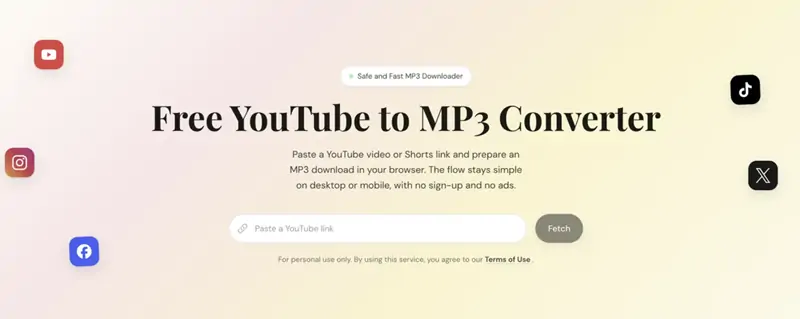
Among numerous pure web-based parsing tools, VideoDownloadTool is a very pragmatic and stable-performing platform. To increase advertising revenue, many similar websites will design their pages in a flashy manner, while the interface of this platform takes a minimalist route. When you open the website, you will only see a clean input box and a few necessary action buttons.
When you need to convert YouTube to MP3, its response speed is extremely fast. It has no hidden pop-up ads and will not redirect you to other weird domains when you click download. For users who just want to quietly save the sound from a webpage to their local device, this is a very handy tool.
Pros:
-
Extremely clean interface, absolutely no pop-up ads and malicious redirects.
-
Pure web-based operation, no need to download or install any software or plugins.
-
Fast parsing speed, intuitive operation process, very friendly to beginners.
Cons:
-
Highly dependent on the network connection environment, cannot be used when disconnected from the internet.
-
Does not support batch downloading of entire playlists; links can only be parsed one by one.
MusicFab: A Professional Tool on the Desktop
If you are a short video editor, or you need to download a playlist containing hundreds of English listening audios all at once, continuing to use web-based tools will greatly slow down your work efficiency. At this time, what you need is the best program to convert YouTube to MP3 running locally on your computer.
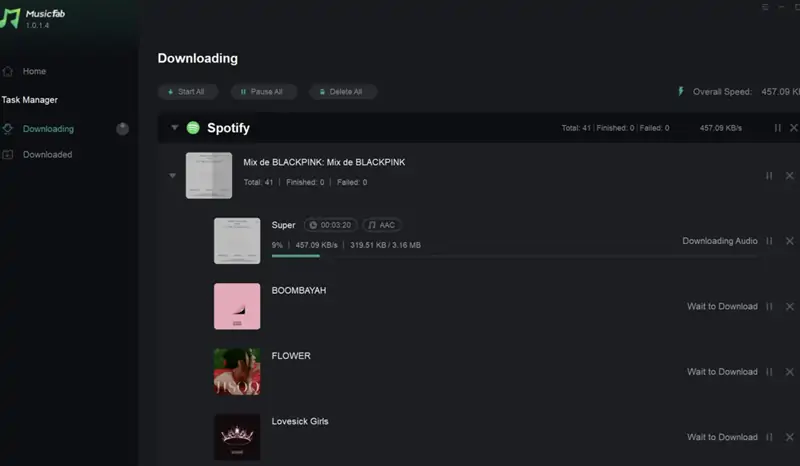
MusicFab is a very good choice. It supports both Windows and macOS dual systems. As long as you copy a playlist link, it can automatically grab all the videos in the list and put them into the download queue for concurrent processing. In addition, it can automatically scrape and retain the original cover, title, and artist information of the audio.
Pros:
-
Possesses powerful batch download capabilities, supports parsing complete playlists and channels.
-
Provides lossless format output such as FLAC and WAV, perfectly preserving the original audio quality.
-
Automatically retains the ID3 tags of songs (such as album covers, singer information, etc.).
Cons:
-
Requires taking up local computer storage space for software installation.
-
As a commercial software, you need to pay to purchase a license after the free trial quota is exhausted.
CnvMP3: A Powerhouse with Rich Audio Quality Options
CnvMP3 enjoys a good reputation among netizens. If you have specific requirements for the size and quality of the audio, this tool can provide you with a lot of customization space.
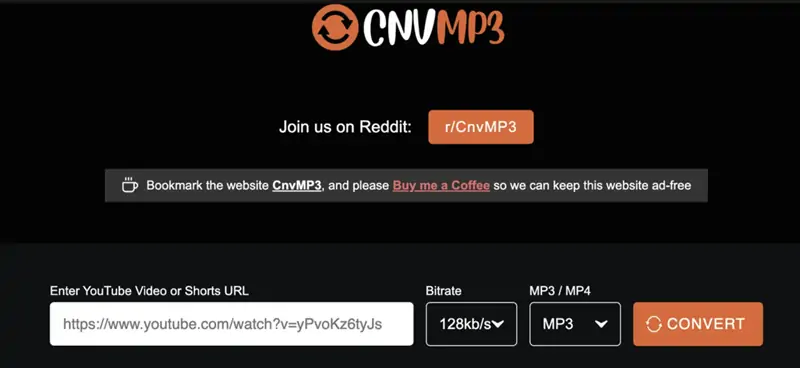
Its outstanding performance is that it provides an extremely detailed bitrate selection menu. From 96kbps, which is suitable for voice podcasts, to 320kbps for pursuing details, users can decide for themselves. Through our professional software spectrum analysis, the bitrate of the files downloaded by CnvMP3 is basically consistent with the parameters selected by the user, with no obvious false claims problem.
Pros:
-
Provides a real 320kbps option, no false claims on audio quality.
-
The page is relatively safe; no malicious redirection behavior was found.
-
Supports downloading MP4 video formats in multiple resolutions.
Cons:
-
Cannot directly parse sharing links from exclusive music applications.
-
When encountering ultra-long videos (such as a 10-hour white noise), parsing is prone to timeout and failure.
Dirpy: An Online Micro-Studio Suitable for Advanced Users
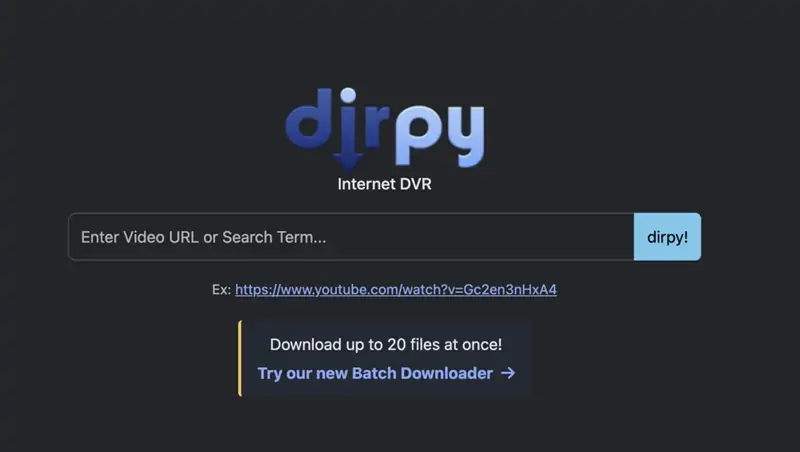
Unlike other websites that offer direct one-click downloads, Dirpy is more like a micro-audio studio running on a webpage. This is a relatively niche but highly powerful online tool.
When you paste the link into Dirpy, it not only extracts the audio but also pops up an advanced editing interface. You can directly modify the metadata of the MP3 file here, such as filling in the song name, album name, or even manually trim a certain time period of the audio (for example, only keeping the climax part from the 1st minute to the 3rd minute).
Pros:
-
Built-in practical editing features, allowing users to only download specific audio clips.
-
Supports manually editing ID3 tags, facilitating the management and classification of local music libraries.
Cons:
-
The user interface contains a large number of parameters, which seems a bit complicated for beginners.
-
Due to loading additional editing modules, the overall waiting time for parsing and downloading is longer.
Cobalt: A Pure Open-Source Work with Geek Spirit
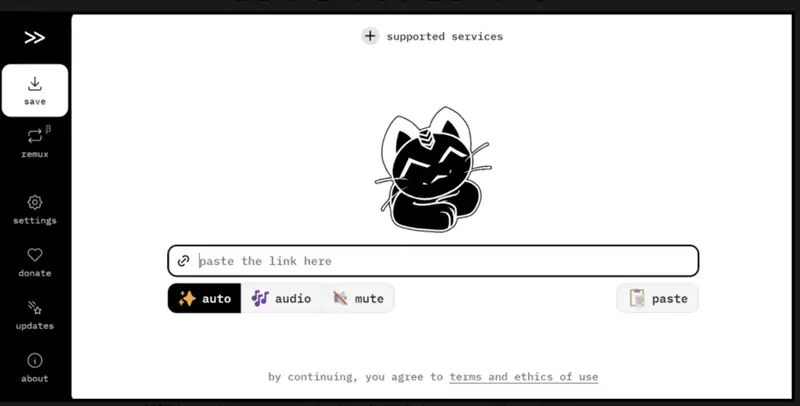
Cobalt is an open-source project launched by a group of developers to combat commercial websites full of ads. It has no commercial flavor at all, and its page is as clean as a system code terminal.
It is open-source and fully functional, not only supporting MP3 but also outputting various relatively niche but more professional audio formats such as opus, ogg, and wav. Because it is an open-source project, its parsing logic is completely transparent, which is deeply loved by tech geeks.
Pros:
-
100% free and open-source, without any form of ads or user tracking codes.
-
Supports highly customized download parameters and various niche audio formats.
Cons:
-
Lacking maintenance from a commercial team, once the official interface is updated, the tool frequently falls into an invalid state.
-
No customer service support; when encountering errors, you can only wait for the developer community to push a repair patch.
-
Has a certain threshold for use.
Y2Mate: Extremely High Popularity but Needs to be Used with Caution
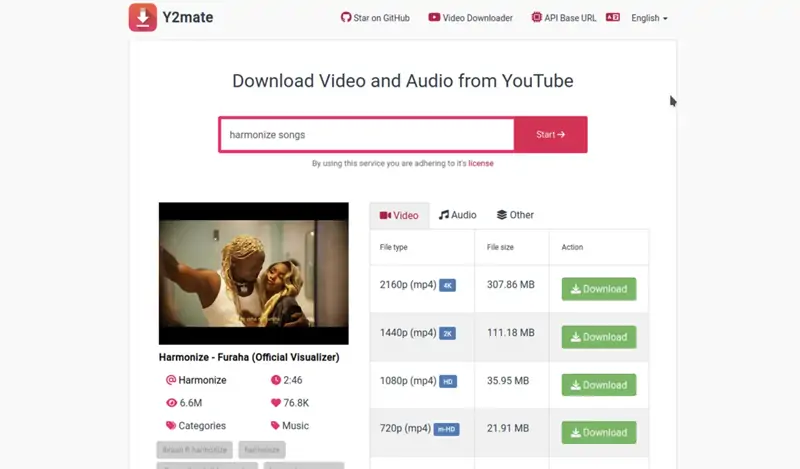
When searching for audio extraction tools, you will most likely see Y2Mate. As one of the oldest websites in this field, its server pressure resistance is very strong, and its parsing speed also ranks among the top.
But we must objectively point out its flaws. With the increase in operating costs, the ads on the Y2Mate page have started to increase, and some ads are somewhat misleading. In addition, although it provides multiple audio quality options on the page, in the latest actual tests, no matter which gear is selected, the actual audio quality of the file finally downloaded locally is often forcibly limited to around 128kbps.
Pros:
-
High website popularity, extremely fast server response.
-
The operation steps are very simple, requiring almost no learning cost.
Cons:
-
The page has many disguised ads and potential redirection jump risks.
-
There is a phenomenon of false claims on audio quality, unable to meet the needs of high-fidelity audio.
How to Convert a Video from YouTube to MP3?
To enable beginners with no relevant experience to easily get started, we have compiled a very specific practical guide. In this demonstration session, we will take VideoDownloadTool, which has the most intuitive interface design, as an example to show you the complete process from getting the link to finally saving the file.
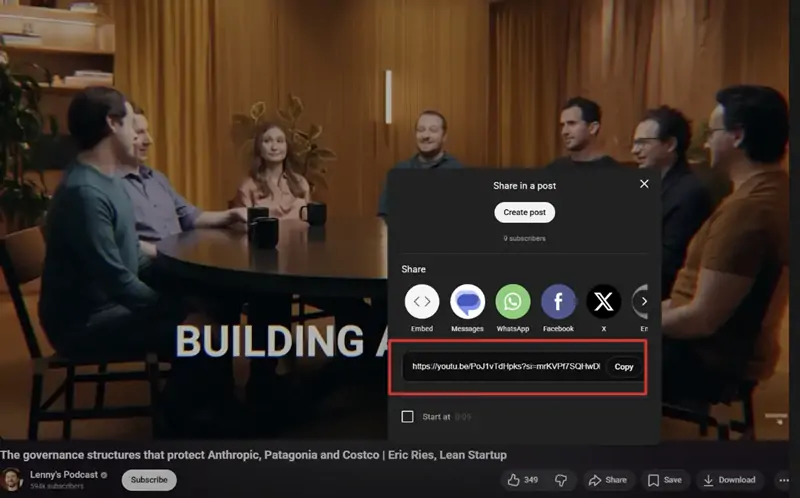
Step 1: Get the YouTube Video Link
Copy the link of the video or audio you need to download, such as the link of a YouTube video.
Step 2: Paste the YouTube Video Link
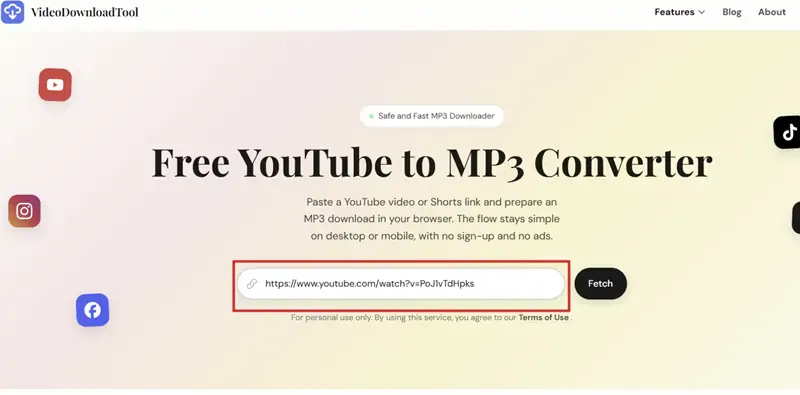
Visit the Free YouTube to MP3 Converter landing page on VideoDownloadTool , and paste the video link you just copied into the input box.
Step 3: Start Fetching YouTube Video
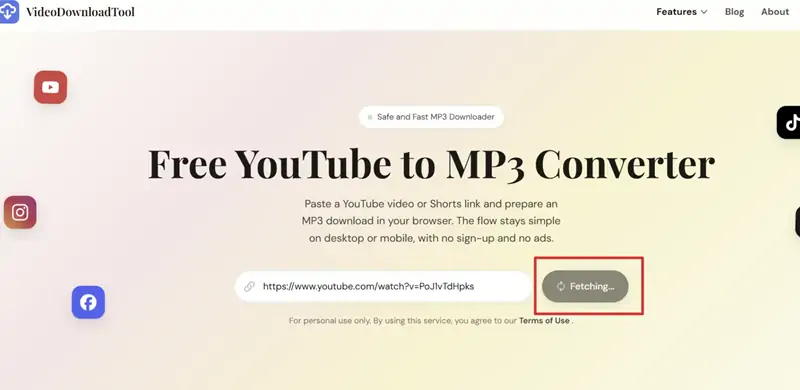
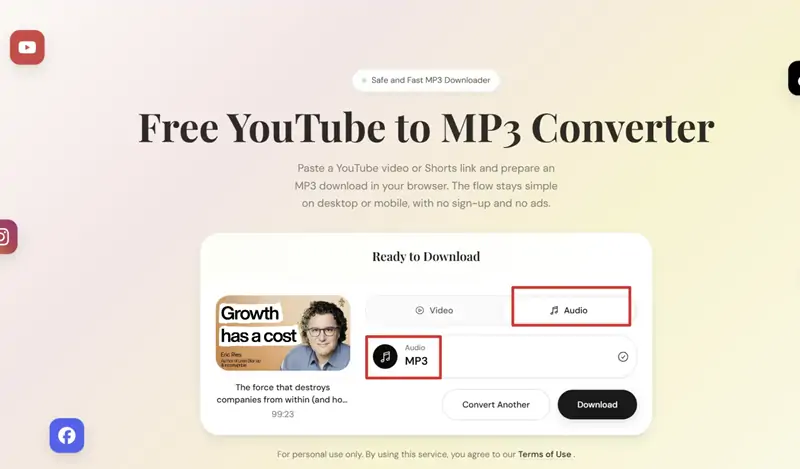
After pasting the link, click the Fetch button next to the input bar. Wait a few seconds, the system will read the link information, and then a preview image of the video and different download options will load at the bottom of the page.
Step 4: Select the Audio Option
In this step, you need to be clear that what you want is an audio file. Directly select the corresponding audio tab.
Step 5: Download and Save to the Local Device
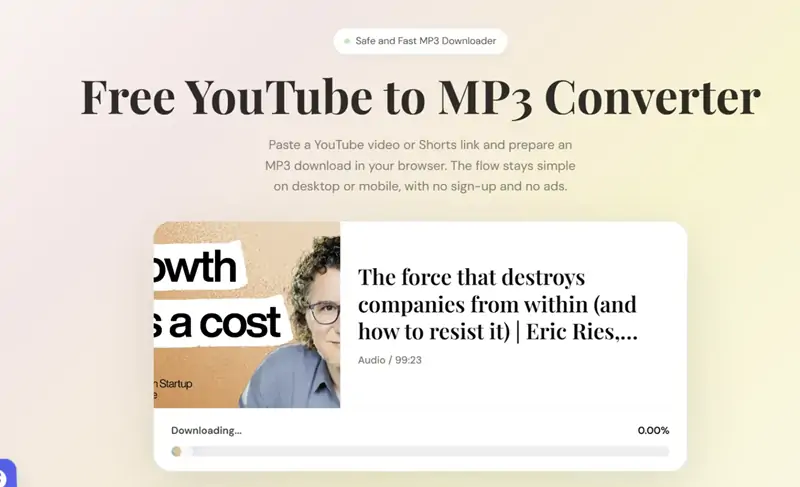
After confirming the format is correct, click the Download button below. Wait for the progress bar to finish, then you can disconnect from the internet and use your local music player to enjoy this audio to the fullest.
How to Convert YouTube to MP3 Legally?
While enjoying the convenience brought by digital tools, many users also have doubts about copyright and legal risks. This is a very rigorous issue that must be faced head-on. Here is some popular science knowledge and advice regarding legality:
1. Does personal offline listening violate the law?
In the copyright laws of the vast majority of countries and regions, there are relevant clauses regarding "Fair Use" or "private copying exceptions". If you convert a public video to MP3 solely for personal, non-commercial purposes (for example: downloading a segment of sleep-aiding white noise to listen to at night, or downloading a free open class to review on the subway), this is usually considered a reasonable personal consumption behavior and generally will not face legal accountability.
2. What behaviors constitute infringement?
The legal red line is usually drawn at "unauthorized distribution" and "commercial profiteering". If you package and upload the converted MP3 files to other public websites for others to download, republish them as your own podcast content, use them as background music in your commercial advertising videos, or burn them onto CDs for sale, this constitutes a clear copyright infringement. The original copyright owner has the right to initiate severe litigation against you.
3. Platform rule restrictions
From the perspective of service agreements, the "Terms of Service" of the vast majority of streaming platforms explicitly prohibit users from unauthorized downloading of content on their platforms, unless the video comes with an officially provided "Download" button. This is why tech giants like Google frequently remove such third-party tool plugins from their app stores. However, violating a commercial platform's user agreement and violating national laws are two different concepts.
Our final advice: Please always maintain respect for content creators. If you really like the work of an independent musician, when conditions permit, subscribing and listening on regular music streaming platforms or purchasing their digital albums, is the best support and encouragement for them. Conversion tools should be used to handle special audio materials that are difficult to find on regular music platforms (such as live speech recordings, copyright-free sound effects, etc.).
Conclusion
In today's digital age of information explosion, converting high-quality online sound resources into digital assets that can be permanently saved locally is a very reasonable and practical demand.
From clean web pages with absolutely no ads to geek open-source projects with complex functions, to desktop software with powerful performance, there is no shortage of tools on the market; what is lacking is only the time to patiently screen them. If you don't want to fiddle around and hope to have a safe and fast channel every time you need to extract audio, then the pure web-based parsers mentioned above can definitely meet most of your daily needs; while for heavy users who pursue ultimate efficiency and need to process massive files, choosing a professional desktop program is a wiser decision.